Version 3.1.3 for Windows is out with the following changes:
- Exit and re-enter full screen mode on Alt-Tab.
- Return cartridge name in "get medium info" trap for microdrive images (*.mdv).
- Fixed crash when QCF file was passed on the command line.
Version 3.1.3 for Windows is out with the following changes:
Last week the license for the SMSQ/E operating system was changed to a BSD-style free license.
SMSQ/E can be considered the evolution of QDOS and while it cannot run the older Sinclair QL games, it offers many additional features like file system support for sub-directories, high resolution graphics and improved windowing system.
Q-emuLator has been able to run the Gold Card version of SMSQ/E for about ten years, although typically only users that already had purchased that version of SMSQ/E took advantage of this feature.
In 2010 I did a small experiment, modifying SMSQ/E to allow a 1024 x 768 display resolution when running on Q-emuLator. It was not possible, however, to publish the results. The SMSQ/E license at the time allowed free access to the sources, but distribution of binaries was restricted.
The new license finally allows distribution of that modified version of SMSQ/E, although it should still be considered experimental. On the software page of the Q-emuLator web site you can now download:
Screenshots from the circles demo QLPAK.


Version 1.1 of Q-emuLator for Max OS X is available for download!
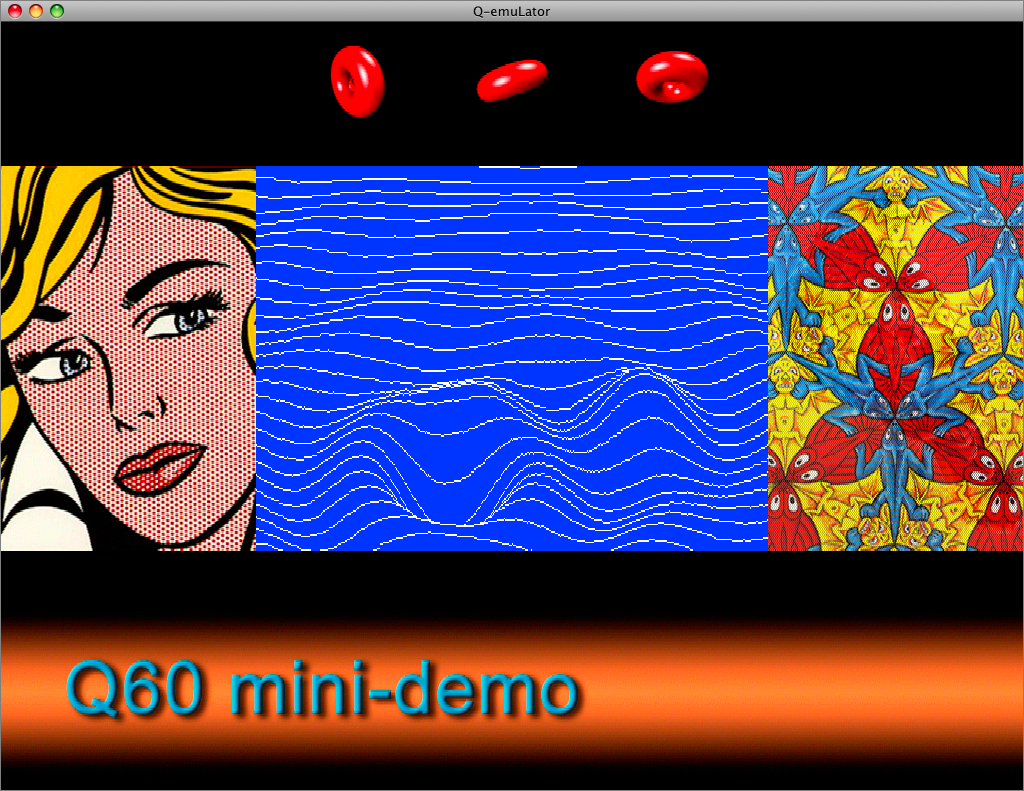
This update adds emulation of three of the Aurora video card graphics modes (512 x 256 and 1024 x 764 with 4 colours, and 512 x 480 with 256 colours) and two graphics modes of the Q40 and Q60 computers (512 x 256 and 1024 x 512 with 65536 colours), plus an extra high resolution mode (1024 x 768 with 65536 colours).
The CON_ and SCR_ drivers in the QL’s operating system cannot take advantage of these graphics modes, but applications can access the video display memory directly, and the Gold Card version of SMSQ/e that includes the “GD2” colour drivers can use the Aurora video modes.
Another new feature in version 1.1 is the addition of a TCP/IP driver (SCK_ and TCP_ devices).
The following screenshot shows the Google web page accessed through the QDOS TCP/IP device:
The software page on the Q-emuLator web site has two demos of the Q60 video modes and a .QLPAK with the Lynx browser for browsing the Internet from QDOS.
For a detailed list of all changes included in the version 1.1 update, read the version history.

The emulator now patches Minerva ROMs to avoid a Minerva bug that was causing EDIT/AUTO to delete lines from SuperBASIC programs when external ROMs like the Toolkit II were installed.
For a detailed list of changes, read the program’s version history.
To install the update, first uninstall the current version (from Control Panel), then install version 3.1 from the download page.
This is the official Q-emuLator (Sinclair QL emulator) blog.
Subscribe to the RSS feed to automatically receive posts, including articles and news about Q-emuLator releases (updates).
You can download Q-emuLator for Windows and OS X from the Q-emuLator web site.