Tuesday, October 1, 2013

Code size

While looking for a Perl file to modify for another project, I came across a script I wrote ten years ago to count the lines and comments in C/C++ projects and out of curiosity decided to use it on the current Q-emuLator codebase.

cmp_w

The result is that Q-emuLator today has 68000 lines of code (67995 lines in 235 files to be precise, after excluding lines that are entirely blank or comments)…

…mostly written during nights over the last 19 years Confused smileSleeping half-moon.

The count includes some currently inactive code like the binary translator for the QemuFast project and it excludes the Unzip sources.

A few assembly and Perl files are also not counted.

There are then about 5000 lines of code between the M68000 debugger and a tool to generate tables for the disassembler and the timings for each CPU instruction.

Now if I add just a few lines I can get to 68008! Smile

Saturday, August 17, 2013

Q-emuLator 1.2 for OS X: Trial Mode

Q-emuLator 1.2 for Mac OS X has just been released, adding a special mode (similar to the one available for the Windows version) that allows users to try running QL software on it before purchasing a license.

MacTrial

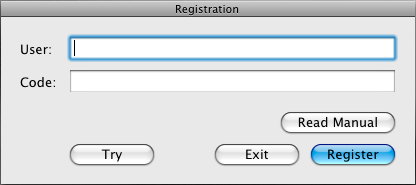
The new “Try” button in the startup/registration window allows emulating a QL with 128 KB or RAM and speed similar to that of the 68008 CPU.

As always, registration unlocks fast CPU emulation and the full set of features:

TrialInfoWindow

Download this update from the Q-emuLator for OS X page!

Saturday, April 20, 2013

Minerva and Games

The Minerva ROM brings a number of improvements to QDOS, but some QL games (especially early ones) don’t work correctly on it. What are the technical reasons for these problems?

For last year’s release of the “QL Games Collection” I worked on a special version of
Q-emuLator to use as the runtime for the games and I had the opportunity to investigate and answer this question for many games.

Here is what I found, the main differences between Minerva and Sinclair ROMs that can cause incompatibilities:

  • Minerva expects programs to run in user mode. If a program changes the supervisor stack pointer even just for a short while, Minerva can crash, for example when the interrupt 2 service routine is called.
  • Some games take complete control of the QL, typically to maximize speed and available memory, to use the second hardware display page or to strengthen the copy protection. However, virtually all of these programs still need to call QDOS to communicate with the IPC co-processor to play sounds and to read the keyboard.
    In Sinclair ROMs, the IPC functions are at a lower level than the rest of the OS, but on Minerva IPC access is more similar to any other QDOS calls and it accesses the system variables, which these games normally overwrite. This can cause crashes or funky behavior.
  • The interrupt 2 handler, which some games use to get the correct timing or to run code periodically, accesses some system variables both on Sinclair and Minerva ROMs. However, the Sinclair handler can often continue to work when the variables are overwritten, while the Minerva one can not.
  • Minerva treats unhandled exceptions very differently than the Sinclair ROM.
    It’s actually pretty common for QL software to contain bugs that cause unhandled exceptions as when running on Sinclair ROMs most of these exceptions were simply ignored by QDOS and many software authors didn’t even have a chance of noticing the problem.
    On Minerva, unhandled exceptions cause a call to the OS rather than just being ignored and this in turn can have unexpected side effects, or crash the system when combined with any of the previous issues (for example for games that take over the entire system).

In general, when running early QL games on an emulator, the safer choice is to use a Sinclair ROM and set the amount of RAM to 128 KB to avoid incompatibilities. A number of these games wouldn’t work if the QL had a RAM expansion as they expected everything to be at the same fixed memory addresses as on a 128 KB QL.

Monday, February 11, 2013

3.1.3 update for Windows

Version 3.1.3 for Windows is out with the following changes:

  • Exit and re-enter full screen mode on Alt-Tab.
  • Return cartridge name in "get medium info" trap for microdrive images (*.mdv).
  • Fixed crash when QCF file was passed on the command line.

Saturday, January 26, 2013

SMSQ/E gets a new BSD-style license

Last week the license for the SMSQ/E operating system was changed to a BSD-style free license.

SMSQ/E can be considered the evolution of QDOS and while it cannot run the older Sinclair QL games, it offers many additional features like file system support for sub-directories, high resolution graphics and improved windowing system.

Q-emuLator has been able to run the Gold Card version of SMSQ/E for about ten years, although typically only users that already had purchased that version of SMSQ/E took advantage of this feature.

In 2010 I did a small experiment, modifying SMSQ/E to allow a 1024 x 768 display resolution when running on Q-emuLator. It was not possible, however, to publish the results. The SMSQ/E license at the time allowed free access to the sources, but distribution of binaries was restricted.

The new license finally allows distribution of that modified version of SMSQ/E, although it should still be considered experimental. On the software page of the Q-emuLator web site you can now download:

  • A demo QLPAK with a short SuperBASIC program that draws colored circles under SMSQ/E, using a screen resolution of 1024 x 768 pixels and 16 bit color.
  • A variant of SMSQ/E 3.13 modified to allow the 1024 x 768 resolution when running on Q-emuLator.
  • The Gold Card version of SMSQ/E.


http://qemulator.blogspot.com/

Screenshots from the circles demo QLPAK.

Thursday, March 15, 2012

QL Games Collection

QL_Games_Collection
The Sinclair QL Games Collection is a re-release of ten Sinclair QL games.

Available for Windows, it allows playing these games directly without having to purchase the individual games and without having to install and configure a QL emulator to run each game.

The Games Collection is sold by Rich Mellor, who contacted the game publishers and negotiated the special low price. Follow this link to see more screenshots and to purchase this product. Jiri Dolezal wrote the main application and an installer, while a special runtime version of Q-emuLator allows the games to run on Windows.

The Sinclair QL Games Collection includes the following games:
  • Cuthbert in Space
  • Deathstrike
  • Hoverzone
  • Jungle Eddi
  • QL Hopper
  • QL Pengi
  • QL Vroom
  • Stone Raider II
  • The King
  • The Lost Pharaoh


PharaoCollection


Peter Scott has uploaded a gameplay video on YouTube:

Sunday, February 5, 2012

Q-emuLator 1.1 for OS X

Version 1.1 of Q-emuLator for Max OS X is available for download!

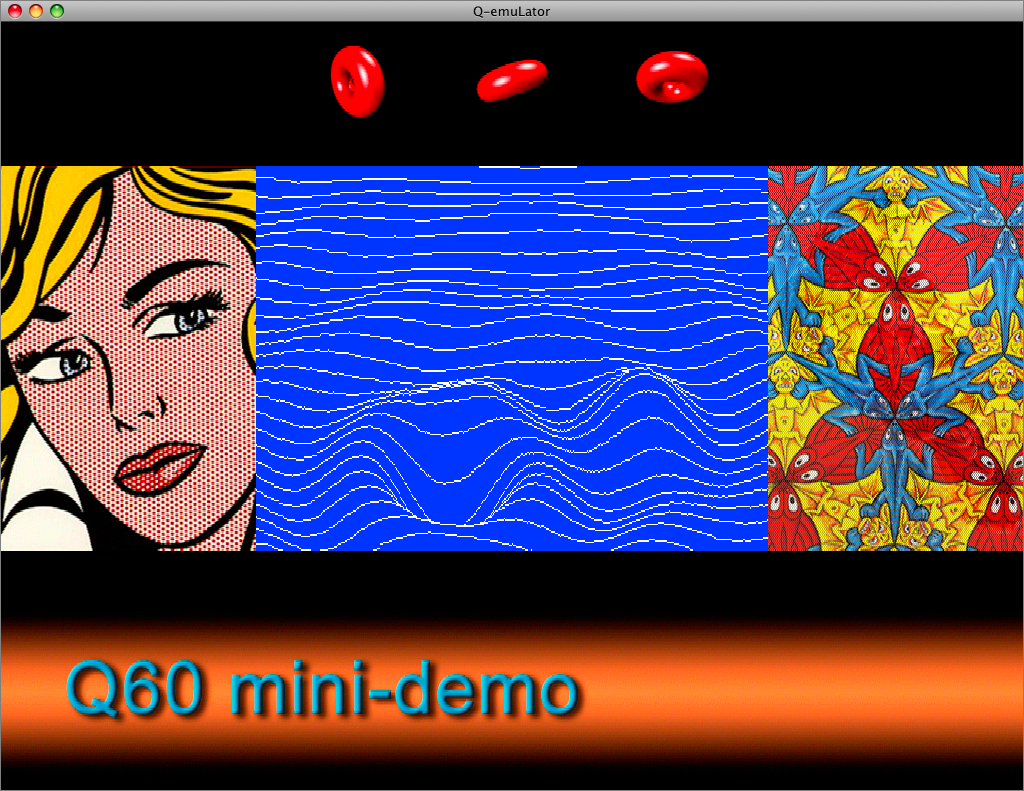
This update adds emulation of three of the Aurora video card graphics modes (512 x 256 and 1024 x 764 with 4 colours, and 512 x 480 with 256 colours) and two graphics modes of the Q40 and Q60 computers (512 x 256 and 1024 x 512 with 65536 colours), plus an extra high resolution mode (1024 x 768 with 65536 colours).

Q60 display small

The CON_ and SCR_ drivers in the QL’s operating system cannot take advantage of these graphics modes, but applications can access the video display memory directly, and the Gold Card version of SMSQ/e that includes the “GD2” colour drivers can use the Aurora video modes.

Another new feature in version 1.1 is the addition of a TCP/IP driver (SCK_ and TCP_ devices).
The following screenshot shows the Google web page accessed through the QDOS TCP/IP device:

Lynx

The software page on the Q-emuLator web site has two demos of the Q60 video modes and a .QLPAK with the Lynx browser for browsing the Internet from QDOS.

For a detailed list of all changes included in the version 1.1 update, read the version history.